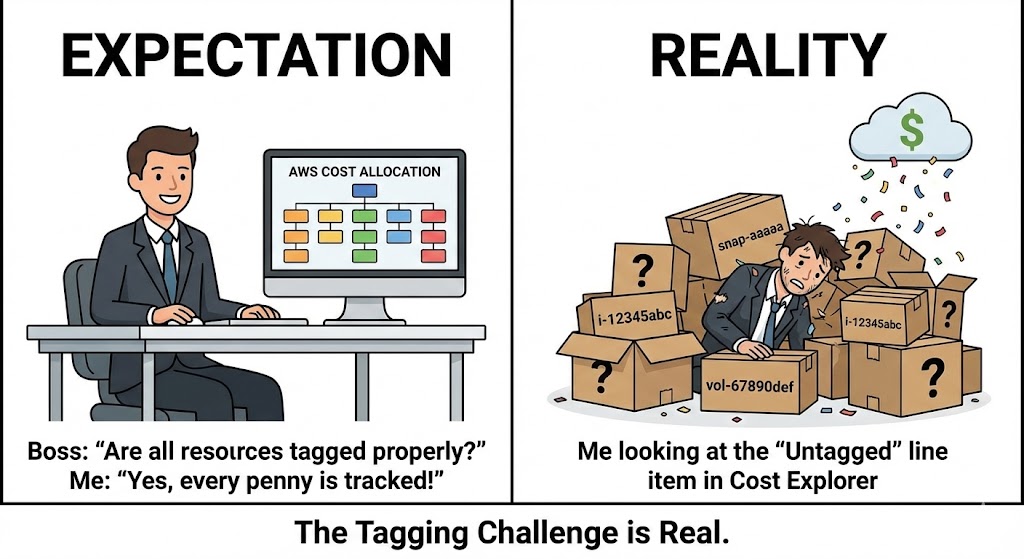
Cost! Money!
These are the number 1 priority for every single organization going into cloud. We always want to know how much something is going to cost us.
Knowing how much something costs isn't always enough for organizations.
Organizations sometimes behave as different entities within themselves. For example, the Engineering department pays for its stuff from its own budget, and the Security department pays from its budget.
The Challenge: Understanding AWS Costs
In AWS, when you get a bill and want to view what it is made of, how much each resource/service that was consumed cost, you typically go to Cost Explorer unless you have some third-party tool that has all the data and you go there.
But knowing how much each service costs isn't always enough.
Let's take EC2 for example. The Security department has some instances that host its Firewalls and some bastions for secure access. The Engineering department has its EKS Clusters which create EC2s that serve as nodes.
But the bill you get from AWS just shows EC2!
We're missing an important part here, how do I know how much of the EC2 bill should the security team pay from its budget and how much should the Engineering department?
If you're a FinOps person, I believe you know the pain.
Let's look at a simple example:
Here is an image of a bill for an AWS account without any tags:
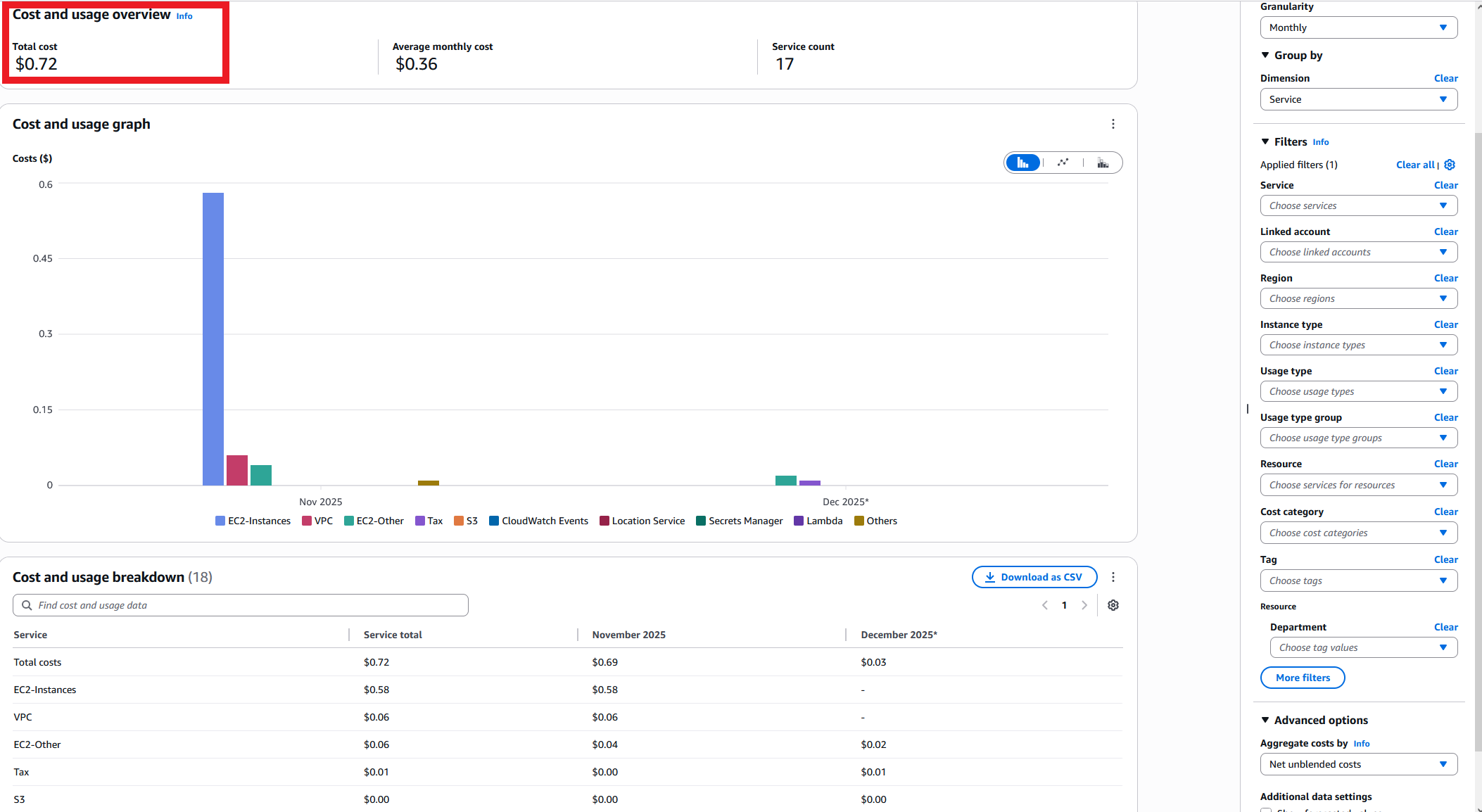
So we have the EC2 bill, but we don't know how much of it is for the Security department and how much is for the Engineering department.
AWS Cost Allocation Tags: The Solution (Partially)
AWS is, of course, aware of that issue and actually gave a solution to this (partially).
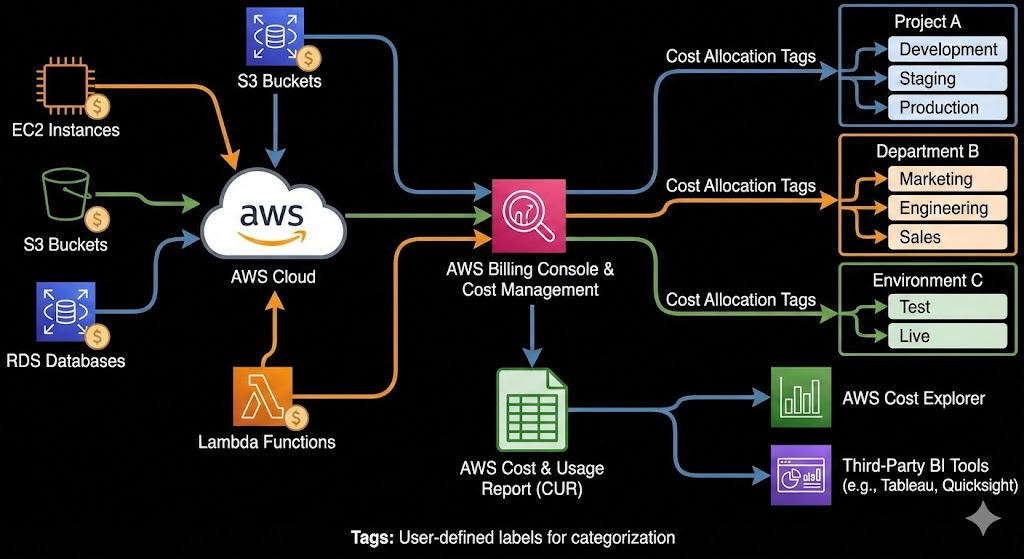
AWS introduced AWS cost allocation tags, which basically allow you to see the cost for a given tag. These AWS cost allocation tags are user-defined tags that you activate in the Billing and Cost Management console to track spending by department, project, team, or any other dimension you choose.
So let's take, for example, our use case. The security team deploys its tags on the resources Department:Security, and Engineering does the same Department:Engineering.
Now when the FinOps is looking at Cost Explorer, he can filter by the Department tag and see the total cost for each department! So problem solved?
For example:
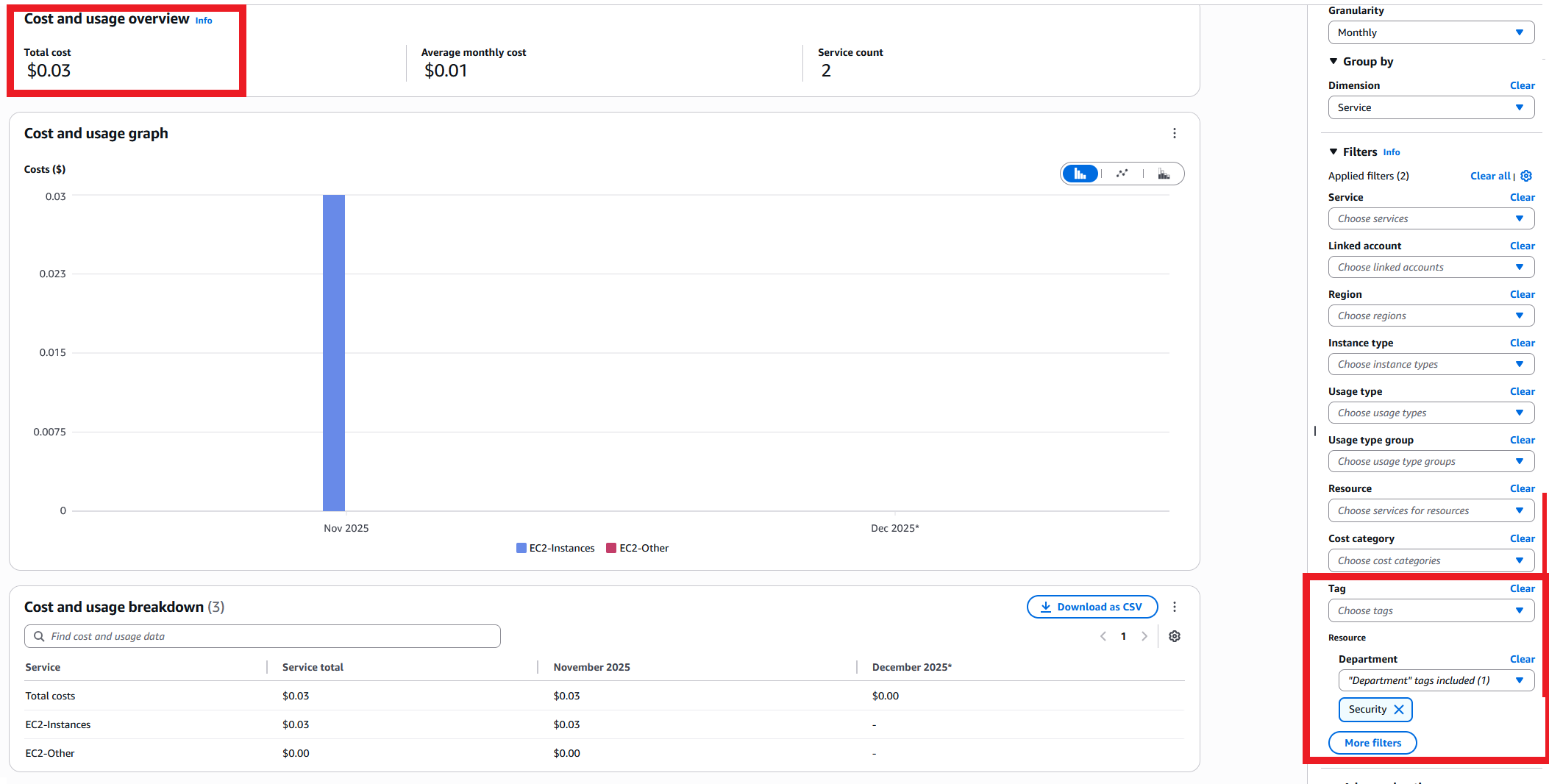
Here is an image of a bill for the same AWS Account but with tags, specifically filtering for the tag Department:Security:
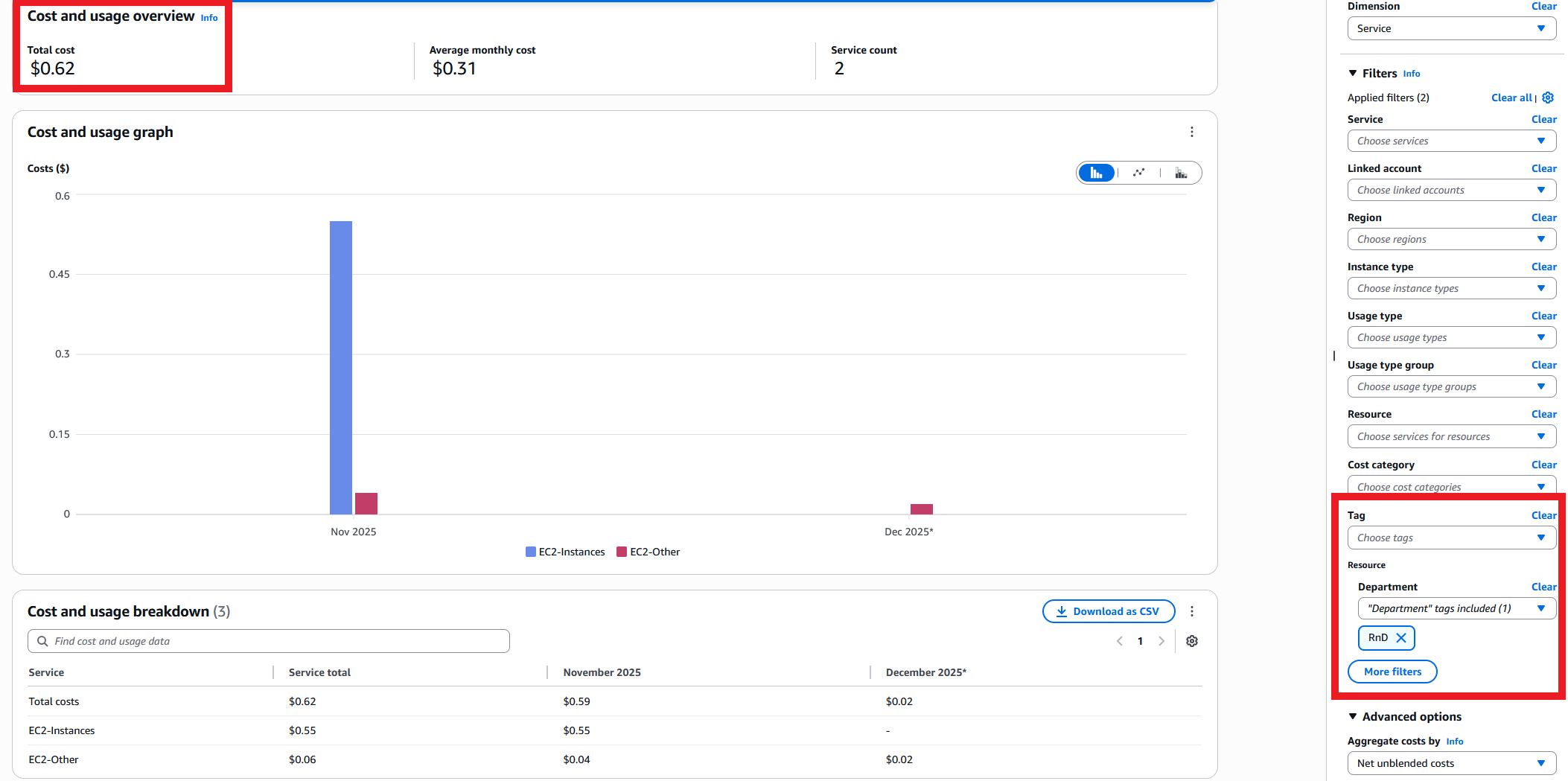
Here is an image of a bill for the same AWS Account but with tags, specifically filtering for the tag Department:RnD:
Well Yes, But Actually No
Well yes, but actually no.
Why not? Because it introduces another problem. Yes, we now have a solution for the FinOps cost allocation, but how do we mandate and enforce consistent tagging for all resources?
The Tagging Enforcement Challenge
AWS introduced a few features that should help with that, like Tag Policies, AWS Config tag compliance, and SCPs that support tag condition keys that can enforce creation of resources with tags.
The problem with all these solutions is that they aren't complete, and to have a complete solution you will pour in hundreds of hours into making it automatic with config remediation rules, for example, creating SCPs that deny creation of every single resource (not all are supported today), fixing tags that were missed by tag policies because they don't actually enforce them, and this goes on and on...
The TagOps Solution
But what if I told you that you can achieve all of that with just one tool and an implementation that takes less than 10 minutes?
As you would have guessed, yes, that's TagOps.
With TagOps, you create a rule and TagOps takes care of the implementation end to end.
TagOps will automatically deploy AWS cost allocation tags according to the conditions you set, re-apply the tags if they were changed or deleted, and automatically apply them to new resources. This ensures your AWS cost allocation tags are always consistent and up-to-date.
When a resource is tagged with AWS cost allocation tags, you can also view it in the Inventory page (something so simple that, for some reason, AWS still hasn't introduced - it's an absolute must for organizations, but even single accounts can benefit from it - no need to switch regions!).
So in the end you should be able to achieve your dream of having a complete AWS cost allocation tags solution that is automated and easy to manage. With TagOps, your AWS cost allocation tags are applied automatically, ensuring accurate cost tracking and chargeback without manual effort.
Ready to Maximize Your Cost Visibility with AWS Cost Allocation Tags?
Start your free trial with TagOps and automate AWS cost allocation tags across all your AWS resources. Get complete cost visibility in minutes, not months. TagOps ensures your AWS cost allocation tags are applied automatically for accurate cost tracking.
Get TagOps on AWS Marketplace